

Do Smart Thermostats Really Save Money? A Practical Framing
Do smart thermostats cut your bills, or just look clever? This article tests the central question practically: does investing in a smart thermostat produce meaningful energy savings for real households.
We’ll explain the MECHANISMS of savings, the home and HVAC factors that matter, and how occupant behavior changes outcomes.
You’ll learn how savings are measured, what claims to distrust, and practical steps—installation, settings, and cost trade‑offs—to maximize value.
Expect varied results by climate, home size, insulation, HVAC type, and routines. Guide prioritizes actionable insights, not marketing, so you can decide whether a smart thermostat merits the cost for your home.


How Smart Thermostats Produce Savings: The Mechanisms
Automated scheduling and setbacks
Smart thermostats make regular setbacks painless. Instead of manually lowering heat at night, an automated schedule brings temperatures back only when you need comfort — cutting run‑time without daily effort. Tip: program modest setbacks (4–6°F) rather than extreme swings; comfort returns faster and savings are steadier.
Learning algorithms that adapt
Models like the Nest Learning Thermostat watch your adjustments and build a routine, reducing the need for a detailed schedule. In practice this can capture missed opportunities (weekend wake times, work‑from‑home patterns). Manufacturers often quote 10–15% savings for typical use — a useful ballpark, not a guarantee.
Remote control and geofencing
Using the phone’s location, thermostats can shift to “away” when everyone leaves and resume when someone’s returning. That avoids conditioning an empty house — a big win for commuters.
Occupancy sensors and zone awareness
Integrating motion sensors (or separate room sensors) prevents conditioning unused zones and can bias temperature towards occupied spaces. This is especially valuable in multi‑story homes where upstairs use varies widely.
Smarter HVAC cycling
Good thermostats reduce short cycling by enforcing minimum runtime and staging for heat pumps, improving equipment efficiency and longevity. That produces real savings beyond simple on/off control.
Energy efficiency vs. energy management
A thermostat rarely makes your furnace or insulation more efficient — it manages when and how energy’s used. For bigger, sustained savings, pair smart control with envelope or equipment upgrades.
Next: which home and HVAC characteristics magnify or mute these mechanisms.
Home and HVAC Factors That Determine Real Savings
Equipment age, type, and condition
The baseline efficiency of your furnace, heat pump, or AC sets the floor for savings. A modern 95% AFUE furnace or a 16+ SEER AC already uses less fuel, so percentage savings from smarter scheduling are naturally smaller than with an inefficient unit. Conversely, very old or poorly maintained equipment (think furnaces under 80% AFUE or ACs below ~10 SEER) can lose expected benefits because failures, short‑cycling, or improper sizing interfere with setback gains.
Building envelope: where heat actually goes
How leaky or insulated your home is dominates whether a thermostat can help. Tight, well‑insulated homes (think 2010+ code, upgraded attics, double‑ or triple‑pane windows) hold temperature longer, so setbacks yield smaller percentage savings — but still improve comfort control. Drafty, poorly insulated houses bleed heat quickly; the system runs more to recover, reducing effectiveness of aggressive setbacks.
Climate and seasonal patterns
Savings differ by climate. Heating‑dominated regions (cold winters, modest summers) benefit from setback strategies in winter; cooling‑dominated climates get wins from optimized AC staging and fan control. Mixed climates can benefit year‑round but require careful seasonal schedules.
Thermostat compatibility and installation quality
A smart thermostat must match your system: heat pump, multi‑stage HVAC, or zoned setups need compatible models (ecobee, Nest, Honeywell Pro/programmable lines) and often a C‑wire or power adapter. Poor installation — incorrect wiring, misplaced sensors, or bad commissioning — will cut ROI faster than any firmware update.
Practical checklist
The Role of Human Behavior and Settings
Choice of setpoints: the single biggest human lever
Savings start with what you’re willing to tolerate. A modest, consistent setback of 3–5°F during occupied hours or 7–10°F at night translates into meaningful energy reductions; a common rule‑of‑thumb is roughly 1–3% saved per °F of setback over time. The exact number depends on climate and envelope, but the principle is simple: bigger, consistent setbacks = bigger savings.
Overrides, learning modes, and common pitfalls
Smart thermostats can learn—but people often undo that learning. Repeated manual overrides, narrow “always perfect” setpoint ranges (±1°F), and frequent comfort overrides train the device to keep systems running more. Anecdote: a household that constantly raised heat for 15 minutes after returning home erased most of its scheduled setback gains. Avoid habitually punching in temporary temperature spikes.
Engagement: schedules, geofencing, and reports
Engaged users get more from reports and schedules. Simple steps:
Quick, practical habits that increase savings
Automation works — but only when people configure it sensibly and resist the urge to defeat it for short‑term comfort.
Measuring and Estimating Savings: What Works and What Misleads
Common measurement methods
People check savings three ways: direct before‑and‑after bill comparisons; weather‑normalized baselines (adjusting for heating‑ or cooling‑degree days); or relying on manufacturer claims (e.g., Nest’s historically quoted ~10–12% heating, 15% cooling). Whole‑home monitors (Sense, Emporia Vue) add high‑resolution data for short experiments.
Biases and pitfalls to watch
Practical how‑to for homeowners
Example: a Boston homeowner who weather‑normalized two winters found an 8–9% gas reduction after installing an Ecobee, versus a 14% claim from the device’s report—useful, but more modest than marketing numbers.
How to Maximize Savings — Installation, Configuration, and Cost Considerations
Install and place it right
Professional install is worth it if you’re unsure about wiring. Key checks:
Configure conservatively
Set realistic setbacks and schedules:
Integrate and maintain
Small integrations amplify gains:
Costs, incentives, and payback
When it won’t pay off quickly
Next, the article wraps up with the bottom‑line perspective on where smart thermostats actually belong.
Bottom Line: Context Trumps Hype
Smart thermostats can and do reduce energy bills, but the size of the savings is driven far more by your home’s envelope, HVAC efficiency, local climate, and how you use the system than by the gadget itself. Treat the thermostat as one lever among many: seal drafts, tune equipment, and set realistic setback and schedule strategies first.
Before buying, assess baseline performance and repair needs, estimate expected gains for your specific situation, and follow the installation and configuration steps outlined earlier. That approach will turn promise into reliable dollars saved. Start with data, not demos.

Good article section on measuring and misleading metrics. I run a few monitoring setups and here’s what I look for:
– Baseline period with similar outdoor temps
– Degree-day normalization
– Excluding periods with atypical occupancy
People often compare month-to-month without these controls and call it savings.
Question for the author/admin: do you recommend any specific tools or dashboards for homeowners to measure savings without being an energy nerd?
Can you share a template for the spreadsheet? I’d love a starting point.
You’re spot on with degree-day normalization and baseline matching. For tools: Vinyl/Google Sheets for simple degree-day adjustments, or try Home Assistant integrations + InfluxDB/Grafana if you’re comfortable — they give good visualizations.
I use a simple spreadsheet + NOAA data for degree days. Not glamorous but works. If you’re not technical, some vendors have basic reporting in their apps (ecobee’s reports can be decent).
I just track my bills and temps in a spreadsheet — it’s low-tech but seeing the graph helped me finally believe the savings were real.
Anyone tried utility-provided tools? My city gives a baseline comparison report and it’s surprisingly helpful.
Nice balanced piece. I appreciated the ‘context trumps hype’ conclusion — so many reviews are just about features and not actual ROI.
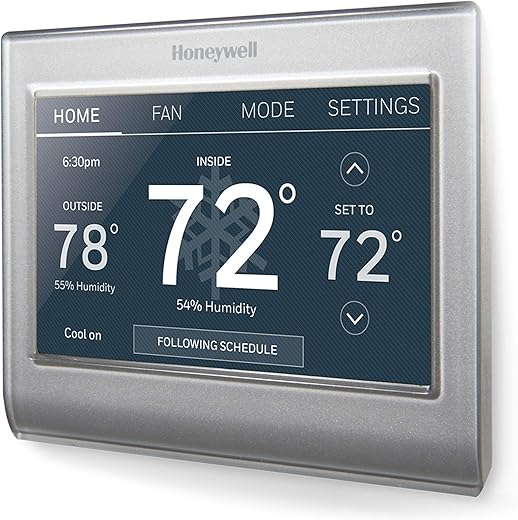
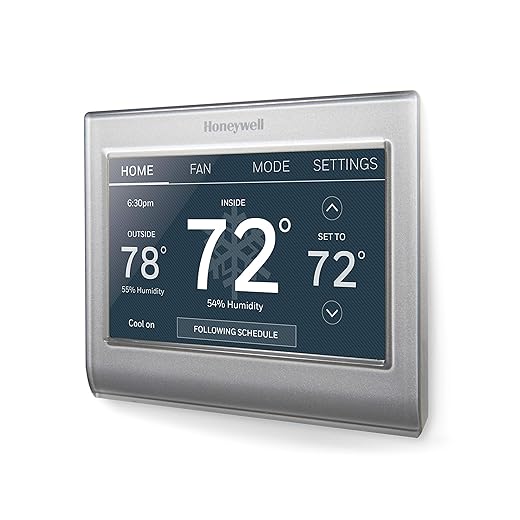
I bought the Honeywell Wi‑Fi Smart Color Programmable Thermostat last year because of a sale and the color display is cute 😅. It’s been reliable and the scheduling helped lower weekend peaks.
Would love more on upfront cost vs payback examples for different climates.
Heat-dominated climates often see more percent savings in winter; AC-heavy places can see big summer drops too. Payback will vary by local rates.
Thanks — we tried to keep it realistic. We’ll consider adding a table of payback examples by climate in an update. Glad Honeywell has been reliable for you.
Solid article but I felt one gap: regional climate and utility pricing differences deserve more space.
For example, a smart thermostat that ‘saves’ 8% in a moderate climate might perform very differently in a cold northern climate with inefficient boilers — or in places with time-of-use electricity pricing where shifting load is the real win.
Also, the product list is helpful, but maybe add a short note about compatibility with older HVAC systems (boilers, heat pumps, multi-stage AC). I know that’s a lot, but it would help readers decide between Honeywell/ecobee/Amazon before buying.
Thanks for the practical tone though — much better than hypey gadget reviews.
Great feedback, James. We can expand the climate/pricing section and add compatibility notes. Multi-stage systems and heat pumps often need different handling — good call.
If you want, I can share a short checklist for compatibility with old systems — it’s saved me time when advising friends.
Yes — in my cold climate the thermostat needed a relay for the old boiler. Would have been nice to know beforehand.
+1 for a checklist. Also, mention whether ecobee remote sensors help in drafty houses — they helped me.
Funny thing: my ‘smart’ thermostat is sassy — it reminds me to be responsible while I ignore it. 😂
But seriously, the article nailed the point that behavior matters. You can have the best ecobee or Honeywell but if you keep changing temps it’s pointless.
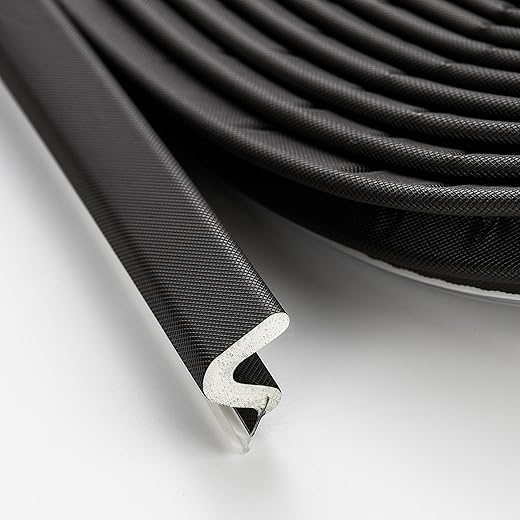
Also, pro tip: Q-Shaped foam weather stripping on windows and doors = game changer. Cheap and you feel smug about money saved.
Totally — the thermostat nags led me to actually program proper schedules. Also, I keep the away mode for long trips and it routinely pays off.
Ha — glad it made you smile. Behavioral nudges are surprisingly effective, but they’re not a magic wand. Love the tip about weather stripping — low-cost, high-return.
I’m skeptical about the whole “smart saves money” narrative.
We have an old house and the article mentions home/HVAC factors, but I still see a lot of people buying gadgets thinking they’ll magically fix crappy insulation.
Also: has anyone tried the Amazon Smart Thermostat with Alexa and Ring? Is it worth it vs Honeywell? I’m a renter so installation options are limited.
Great question. The article’s point about context is key — for renters, thermostat control can help if you have stable schedules, but it won’t solve thermal leaks. The Amazon thermostat is user-friendly and cheaper; Honeywell tends to be more feature-rich. If you can’t rewire for a C-wire, check compatibility first.
I’m a renter too — I used a plug-in smart thermostat (remote control of a portable heater) before. The Amazon one is fine if landlord allows it; no hardwiring needed if you use battery-powered options.
If you’re renting, also ask about Nest or ecobee remote sensors; they can help condition the most-used rooms and avoid wasting heat/cool on unused zones.
I have the Amazon one paired with Ring and it’s super easy to use. Not the fanciest, but it’s cheap and works. 😊
I swapped to the Amazon Smart Thermostat with Alexa and Ring and omg it’s sooo convenient. Voice control + routines = lazy-person heaven 😆
Not sure about exact savings yet but the convenience factor is 10/10. Worth it for me.
Convenience is a real value — not all savings are on the bill. Glad it’s fitting your lifestyle.
Voice control is great, but watch for accidental temp changes if kids play with it 😅.
Haha true. My roommate once set heat to 90 as a prank. Learned to lock controls.
Great write-up — this actually matches my experience.
I installed an ecobee Smart Thermostat Essential last winter and saw a noticeable dip in my gas bill once I set schedules and away modes properly.
Two things I’d add: cheap fixes like the Q-Shaped foam weather stripping door seal strip made as much difference as tweaking the temp by a degree, and the installer wiring choices matter (C-wire!).
If anyone’s on the fence, think about your behavior first — the device won’t save you if you manually override it 24/7.
Thanks for the practical framing, not just hype.
Agreed on the weather stripping — cheap and underrated. Did you use the Amazon one or generic foam? Also curious how big the bill drop was in percentage.
Thanks for sharing your real-world data, Laura — the C-wire point is huge and often overlooked. Glad you called out the weather stripping too; it’s low-cost and high-impact.
Love hearing actual numbers. For me, the ecobee gave ~8% savings on heating season after I stopped cranking it up at night.