

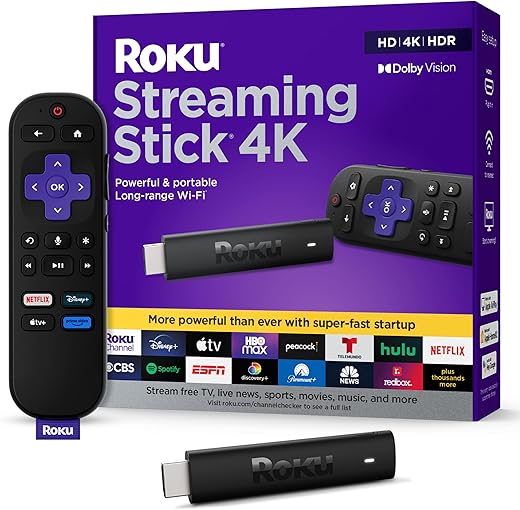
Can Roku’s sleek simplicity beat Amazon’s feature-packed Fire TV — and which stick actually delivers sharper 4K, faster performance, and smarter voice control for your money?
Planning a movie night or upgrading your streaming setup? This head-to-head compares the Roku Streaming Stick 4K and Amazon Fire TV Stick 4K Plus, focusing on performance, software, content, setup, and value to help you pick the best 4K stick.
Easy Streaming

A focused, user-friendly streamer that prioritizes picture quality and simplicity. It delivers a clean interface, great free channel lineup, and reliable 4K HDR performance for most living rooms.
Alexa Integrated

A feature-rich stick that pairs strong performance with Alexa and cloud-gaming capabilities. It’s ideal when you want the latest wireless tech, tight Alexa integration, and expanded sideloading/gaming options.
Roku Stick 4K
Fire TV 4K
Roku Stick 4K
Fire TV 4K
Roku Stick 4K
Fire TV 4K
Performance & Hardware: Speed, Video Quality, and Connectivity
Speed & responsiveness
Roku Stick 4K and Fire TV Stick 4K Plus both feel snappy for navigation and playback, but the Fire TV 4K Plus benefits from a newer silicon and system optimizations that shave milliseconds off app launches and searches. In real use you’ll notice slightly faster app open times and smoother multitasking on the Fire TV when jumping between heavy apps (games, streaming, cloud features).


Video quality & codec support
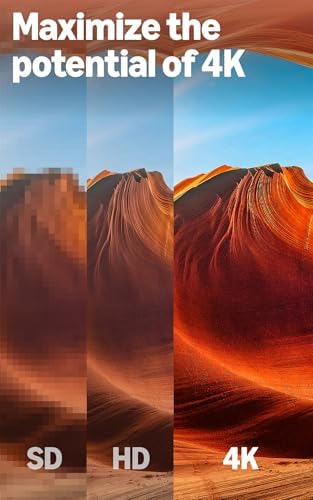
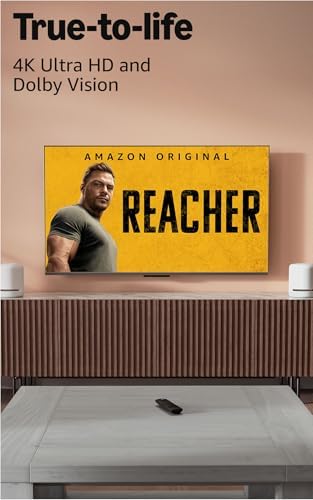
Both sticks deliver true 4K HDR with Dolby Vision and HDR10+ support and handle common codecs for streaming services. Expect identical picture fidelity on the same source stream — brightness, color tone, and HDR tone-mapping will depend more on the app and your TV than the stick.
Network & real‑world streaming
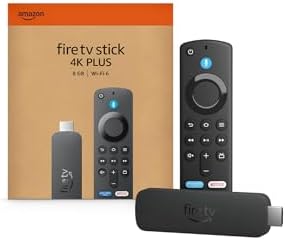
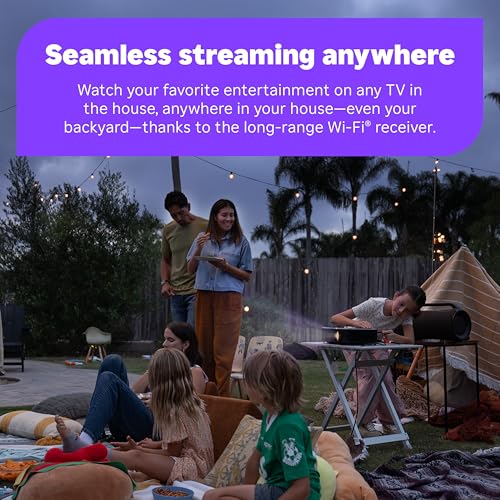
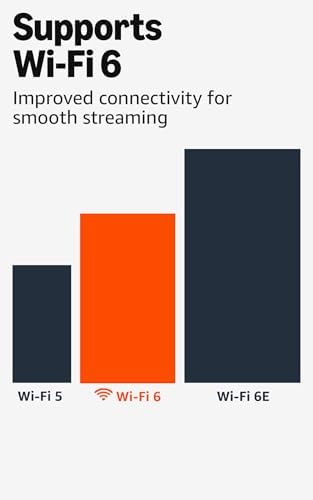
Fire TV Stick 4K Plus: Wi‑Fi 6 reduces congestion and improves sustained 4K HDR streams in busy networks.Roku Streaming Stick 4K: long‑range Wi‑Fi helps when the router is farther away.
Remote, thermal & power
Both remotes control TV power/volume and include voice. Roku ships with 2 AAA batteries included. Use the supplied USB power adapter for stable 4K playback — plugging into a TV’s weak USB port can cause reboots. Both sticks run warm under heavy use but rarely throttle; adequate ventilation prevents dropouts.
Feature Comparison
Software, Content Ecosystem, and Voice Experience
Operating systems & home screen
Roku runs a lightweight, neutral OS focused on simple navigation and a channel grid that puts apps equally. It surfaces The Roku Channel and free/live rows without heavy commerce pushes.
Fire TV uses Amazon’s Fire OS with deeper Prime integration; home rows prioritize Prime content, ads, and promoted apps. Fire OS is more feature‑dense (AI search, cloud gaming) but more promotional.
App availability & niche apps
Both support Netflix, Disney+, HBO Max/Max, YouTube (via app), Plex, and niche services (Tubi, Pluto). Fire TV has a broader Android app ecosystem and easier sideloading; Roku’s curated store includes unique channels and a strong indie app selection.
Discovery, search & personalization
Roku: neutral universal search and channel grid; results show price/options across services.
Fire TV: AI‑powered Fire TV Search finds by actor, quote, scene, and emphasizes Prime results; personalization heavily weights Amazon content.
Voice, hands‑free & smart home
Roku Voice (remote button) handles searches and simple controls. Fire TV uses Alexa (remote button); pairs tightly with Echo devices for hands‑free control and more advanced smart‑home routines. Search accuracy favors Alexa for natural language; Roku is fast and pragmatic.
Free/live TV, ads, privacy & updates
Setup, Usability, Price & Value — Which Fits Your Needs?
Unboxing & setup simplicity
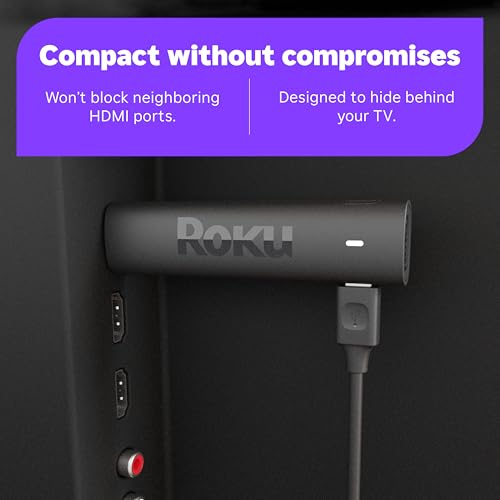
Both sticks are plug‑and‑play: plug into HDMI, attach power, follow on‑screen setup and Wi‑Fi pairing. Roku’s setup is the most minimal — account optional and a clean guided flow. Fire TV asks to sign into Amazon for full features. Accessory note: both include a USB power cable; if your TV’s USB port can’t supply enough power you’ll need a separate 5V/1–2A adapter. Consider an HDMI extender if your TV’s ports are crowded.
Remote ergonomics & day‑to‑day use
Roku’s remote is compact and button-focused for quick navigation and universal TV control. Fire TV’s Alexa remote adds preset app buttons and deeper voice/smart‑home controls — better for Prime members and Alexa users.
Price, deals & accessory needs
Value by use case
Practical pros & cons
Final Verdict: Which Should You Buy?
For most buyers the Fire TV Stick 4K Plus wins: Wi‑Fi 6, AI search and Prime/Alexa integration give the best everyday value and performance. Choose Fire TV for faster networking, voice features, and deep Amazon services.
Pick the Roku Streaming Stick 4K if you want neutral, snappy streaming and a simpler interface—best for pure streaming reliability. Also best for pure streaming reliability: Roku. Best for Prime/Alexa and overall value: Fire TV Stick 4K Plus.

Fire TV Stick 4K Plus for me. Wi‑Fi 6 + AI search = faster loads and finding stuff is less annoying. Also love the Alexa voice integration.
Roku looks cleaner but Amazon’s ecosystem wins if you already have Echo devices.
Good point about Echo integration, Liam — in our tests the Fire TV did respond faster when paired with an Echo device for voice controls.
Echo + Fire TV is great for hands-free control, but keep an eye on Amazon’s interface — lots of suggested content.
I’m annoyed by ads on Fire TV, they’re getting bolder. That said, Wi‑Fi 6 on the new Stick 4K Plus is actually noticeable in my house (less buffering) and AI search does find obscure stuff fast. Roku still wins on pure simplicity though.
Also, for anyone thinking about free & live TV — both have decent options, but channel lineups differ, so compare local channels if that matters.
I mute the main screen suggestions and just use voice to avoid promos. Works ok but it’s annoying that it’s even necessary.
Exactly — a workaround but not ideal. If they let us opt out easily it’d be perfect.
Thanks for flagging the ad experience, Benjamin. We noted Fire’s more aggressive personalization/promos. Good advice on checking local live TV availability.
Setup was a breeze on both, I swear these sticks are getting idiot-proof lol 😂. Personally picked the Fire TV 4K Plus because I wanted faster Wi‑Fi and the AI search is kinda impressive. No regrets so far.
Same here — 10 minutes and I was streaming. Love when tech does what it’s supposed to do.
Glad setup went smoothly, Ethan. Ease of setup is a big plus for both devices—nice to hear AI search has been working well for you.
I just want a stick that boots fast and doesn’t pester me with buy-this-show every 5 seconds. If either does that, I’m tossing it in a drawer. 😅
Fair! In our benchmark tests both boot times were comparable, but Fire TV showed more algorithmic suggestions on the home screen.
Hahaha same. Roku felt less pushy to me — more ‘let me just play the thing’ energy.
Quick question: anyone tested casual cloud gaming or Stadia-like streaming on these? Latency/lag wise? I know they’re not gaming sticks but curious.
Thanks — that’s what I expected. Might just stick to console for that.
Short answer: not ideal for competitive gaming. We tried a couple of cloud gaming services — both worked for turn-based or single-player but Wi‑Fi 6 on the Fire TV helped reduce stutter in higher bandwidth sessions.
I played a few retro cloud games on Roku and it was fine for low-speed stuff. For anything fast-paced, you’ll want a dedicated device.
Price/availability check: I snagged the Roku on sale last Black Friday for cheaper than the Fire. If price is the deciding factor, watch deals — both go on sale often.
Yep stores rotate promos. If you can wait for Prime Day or Black Friday, you’ll probably get a good discount.
Good tip, Sophie. We included a deals section in the article for that reason — holiday sales often swing the value proposition.
Pro tip: sometimes bundles (with subscription trials) make the total value even better.
Thanks everyone — I’ll hold out for the next sale then!
I tested both and TBH it’s a toss-up depending on what matters to you.
Fire TV = solid hardware (Wi‑Fi 6), AI search is actually useful sometimes, but the interface can be kinda pushy with ads/promos. Roku = quieter UI, Dolby Vision support looked gorgeous on my TV. Setup was fast on both tho. 😊
Also noticed weird audio sync on one show with Fire — might be app-specific but worth mentioning. Typos aside, both are great value.
Thanks for the detailed notes, Maya. We saw occasional app-specific sync problems in a couple of streaming apps during testing — usually fixed with updates, but good to be aware of.
If anyone hits persistent sync issues, try changing bitrate or toggling surround sound passthrough in the app/TV settings — it helped one of our reviewers.
Lol @ typos, Maya — but really helpful. I care about picture + no annoyances, leaning Roku now.
Yep I had the same audio sync issue on Fire with HBO Max. Switched to Roku for that show and it was fine.
App availability note: I had to sideload one niche streaming app on Fire but Roku had it in the channel store. So mileage varies. Also, private listening via the app is handy on both platforms.
Neutral stance — both do most things right.
Good practical point, Grace. App ecosystems differ and sometimes the one app you want decides the platform.
Agree — always check the app you use most before buying. Saves a return later.
Great breakdown! I went with the Roku Stick 4K last month because Dolby Vision and the super-simple UI sold me. Picture looks crisp on my OLED and the remote is dead easy to use.
I do miss some of Amazon’s bells and whistles (AI search sounds cool), but I value a smooth, clutter-free experience more. If you hate jumping through menus, Roku is the chill choice.
Roku’s remote is simple but I kinda miss Alexa shortcuts. Depends if you want smart home integration or not.
Thanks Emily — glad the Roku worked out for you! We found Roku’s UI to be less aggressive with promos, which is a big plus for many users.
Totally agree. My parents use Roku and never call me for help. That simplicity is underrated.
Long post incoming — I care a lot about voice remotes and smart home features, so here’s my take:
1) Fire TV 4K Plus: Alexa works really well, routines and smart home control are smooth. If you use Echo devices or other Alexa gadgets it’s a no-brainer.
2) Roku Stick 4K: Remote is solid, but smart home commands are limited unless you link other services. However, Roku’s platform felt less cluttered and more predictable.
Also, local casting/phone control was easier on Roku for my family members who aren’t tech savvy. Pricewise they’re close enough that ecosystem decides it for me.
Yes Marta — Roku allows some shortcuts depending on model. Check the remote buttons, some have app quick-launch buttons you can remap.
Do Roku remotes support custom shortcuts? I like pressing a single button for Netflix.
Excellent breakdown, Olivia. We emphasized ecosystem dependency in the article for that exact reason — smart home users will prefer Fire TV, otherwise Roku is friendlier for casual users.
Agree on casting — Roku’s mobile app experience is pretty straightforward for non-tech parents.
One note: Fire TV’s voice remote can do more complex queries thanks to AI search features, which some users find useful for discovery.