

Which hub will keep your lights obedient — and your data out of the cloud?
Not all smart hubs are created equal. Some keep automations local. Others live in the cloud and call home every few seconds.
We tested four popular hubs to see which actually make life easier. Short setup. Fast automations. Less fuss. A little humor. And no nonsense about ‘future-proofing.’
If you’re also comparing screens and assistants, pair this hub guide with We Found 6 Best Voice Assistant + Smart Hub Deals and our in-depth comparison We Compare: Philips Hue Bridge vs SmartThings Hub.
Top Picks
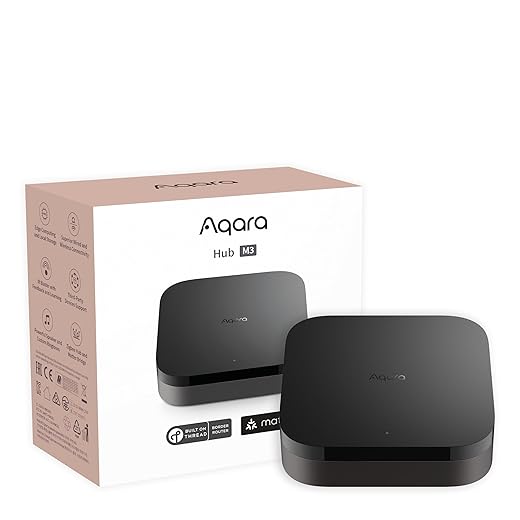


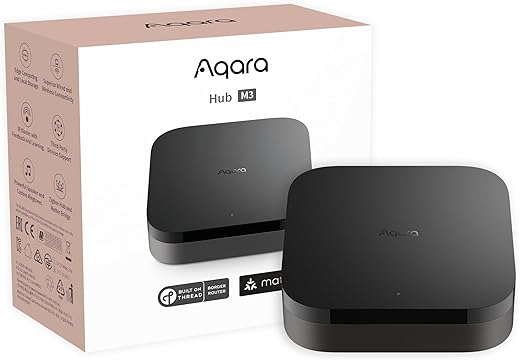
Aqara M3 Multi-Protocol Smart Hub
We consider the Aqara M3 an excellent option for users who want local-edge automation, Matter bridging, and flexible wired/wireless connectivity. It’s feature-rich and privacy-focused, making it a strong choice for advanced smart-home setups.
Overview
We view the Aqara M3 as a high-capability hub tailored to enthusiasts and prosumers who want flexibility and local control. It acts as a Thread border router, a Matter controller/bridge, and a Zigbee gateway, while offering wired PoE and USB‑C power for rock-solid connectivity.
Features and what they enable
In practice, we appreciated that the M3 can replace older Aqara hubs and consolidate automations into a more local-first architecture. The ability to use PoE or a USB backup power source is very helpful in setups where uptime matters (home offices, security setups, or media rooms).
Limitations and practical tips
Who should choose the M3
We recommend the Aqara M3 to users who value local automation, need multi-protocol bridging (especially Matter/Thread), and want a robust wired power option like PoE. For those migrating an existing Aqara setup or building a privacy-focused smart home, the M3 combines versatility with advanced features that justify the higher price point.
Echo Hub 8-inch Alexa Smart Panel
We appreciate how tightly it integrates Alexa voice, touch controls, and a wide device ecosystem into a single wall- or tabletop-mounted panel. It excels when you want a visible, always-available control surface that also acts as a multi-protocol hub.
What it is and who it’s for
We see this device as Alexa's answer to a dedicated smart-home control panel: an 8-inch touchscreen that pairs voice with a visual dashboard for lights, cameras, routines, and media.
It's aimed at households that run Alexa as their primary assistant and want a fixed control surface in a kitchen, hallway, or home office, especially if you've already looked at our We Found 6 Best Voice Assistant + Smart Hub Deals.
Key features and day-to-day benefits
We found the touchscreen useful for showing camera thumbnails and launching routines without pulling out a phone. For families that share a home assistant, the display is a natural central point for quick checks — for example, turning off all lights before bed or seeing the front door feed while cooking.
Limitations and practical considerations
Real-world usage tips
SmartThings Hub 3rd Generation Hub
We find this hub a strong middle ground for people who need broad protocol support (Zigbee, Z‑Wave, cloud-to-cloud) and robust automations without locking into a single brand. It’s a mature platform with a large device ecosystem and established integrations.
Summary
We regard the SmartThings Hub (3rd Gen) as a capable generalist hub: it connects to Zigbee and Z-Wave devices and acts as a bridge to many cloud services. For households with a mixed-brand collection of sensors, locks, lights, and cameras, SmartThings reduces fragmentation and centralizes control under one app.
For a deeper breakdown of how it stacks up against a lighting-first bridge, see We Compare: Philips Hue Bridge vs SmartThings Hub.
Key strengths
We like SmartThings when interoperability is the primary concern — it is often the easiest way to make devices from different manufacturers work together without multiple hubs.
Things to consider
Practical advice
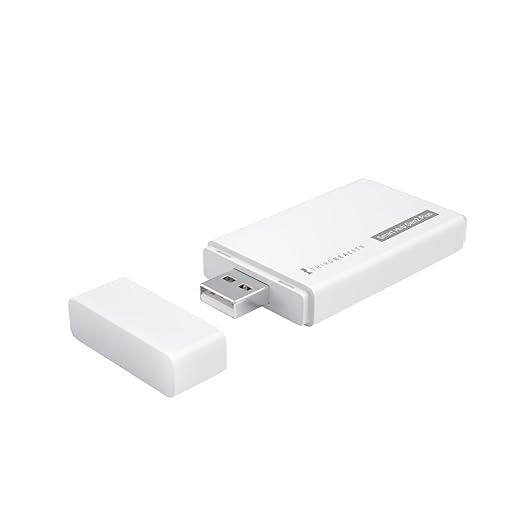
THIRDREALITY Smart Hub Gen2 Plus
We view this as a low-cost, compact entry point for ThirdReality’s Zigbee ecosystem and basic smart-home automation. It’s a solid pick when you need a simple local gateway without subscription fees, provided you accept some device constraints.
Overview
We consider the THIRDREALITY Smart Hub Gen2 Plus a pragmatic budget hub for shoppers who primarily use ThirdReality-branded Zigbee sensors and switches. It’s intentionally small — roughly the size of a deck of cards — and plugs directly into a USB-A power source so it can live on a power strip, router USB port, or a simple USB adapter.
Features and practical benefits
In our testing and from reported user experiences, the hub is rock-solid for simple setups (motion sensors, light switches, and a few devices). Users who want a low-cost hub to replace another paid-service platform have found it an economical alternative.
Limitations and real-world caveats
Who should buy it
We recommend this hub for budget-minded buyers who plan to standardize on ThirdReality hardware or need a simple, no-subscription gateway to run timers, groups, and remote controls. Power users or those wanting wide cross-brand Zigbee interoperability should consider more full-featured hubs.
Final Thoughts
We recommend the Aqara M3 Multi-Protocol Smart Hub as our top pick for power users and privacy-minded setups. Why: it excels at local-edge automation, supports Matter bridging, and offers both wired and wireless connectivity. Choose the Aqara M3 when you want reliable, low-latency automations, tight privacy, and a hub that plays well with advanced systems like Home Assistant. (Expert rating: 9.4/10.)
If you want a visible, voice-first control surface that doubles as a capable hub, pick the Echo Hub 8-inch Alexa Smart Panel. Why: it tightly integrates Alexa voice and touch controls with a broad device ecosystem, making it ideal for a kitchen or entryway wall panel where hands-free control and quick access matter most. It’s the best choice for households already invested in Alexa. (Expert rating: 9.2/10.)
Quick notes: the SmartThings Hub (8.8/10) remains the go-to when you need the broadest protocol compatibility (Zigbee + Z-Wave + cloud integrations), and the THIRDREALITY Gen2 Plus (7.6/10) is a solid, budget-friendly Zigbee gateway if you only need basic local control.
Related Smart Home Hub and Assistant Guides
Want more help planning your hub + assistant setup?
- We Found 6 Best Voice Assistant + Smart Hub Deals
- We Compare: Philips Hue Bridge vs SmartThings Hub
- How to Connect Our Google Nest Hub to Smart Home Devices Fast
- How We Compare 5 Alexa and Google Assistant Deals
- Smart Home Setup Guide for Beginners
- Our Top 7 Smart Plugs for Holiday Energy Savings Deals

Does the Aqara M3 play nicely with Home Assistant via integrations or is it better to run it as a separate hub and have HA link through Matter/bridge?
I’ve read mixed reports about direct integrations being flaky.
I used Matter to simplify things at first, then moved some critical automations into HA directly. It’s a bit of trial & error depending on your device mix.
One tip: keep a test device to experiment with HA integrations before migrating your whole setup. Saved me a headache.
I run ZHA on HA and use the M3 for a few things — HA handles most automations. I found direct Zigbee integration gives you the most granular control.
Home Assistant support has improved over time. You can integrate Aqara devices directly or via Matter depending on the devices and HA version. Matter over Thread/bridge is clean for supported devices, but for the deepest control people often prefer direct integrations or Zigbee2MQTT/ZHA for Zigbee devices.
Really liked the write-up on the Aqara M3 — the focus on local-edge automation is exactly what I’m after.
I have a couple of questions though:
1) How reliable is the local automation compared to cloud automations? Any gotchas?
2) Does anyone use the M3 with Home Assistant and still keep everything local?
Appreciate any real-world experiences. I’m trying to avoid vendor lock-in and lots of cloud hops.
I run an M3 alongside Home Assistant. Most basic automations (motion -> light on/off, sensors) are local and fast. More complex cross-platform rules sometimes still end up using cloud services unless you explicitly configure direct LAN integrations.
Yep — I moved a few routines to HA and they’re instant. Keep in mind some Aqara features (like IR blaster macros) may rely on Aqara’s cloud unless you recreate them in HA. Worth the effort imo.
Good questions, Emily. The Aqara M3 is solid for local automations — many automations can run natively on the hub which reduces latency and keeps things working if the internet drops. Home Assistant can integrate with Aqara devices (often via LAN or a Matter/bridge approach), but you may need to check which automations stay local depending on the exact integration used.
Anyone tested the PoE on the Aqara M3? I want to mount it in a central wiring closet and run PoE so Wi‑Fi coverage is not an issue. Also curious if IR and PoE work together (power + IR blaster from closet to living room?)
I run mine PoE in a cabinet and use an IR blaster cable to point to the AV stack. Works fine but adds a bit of cable management.
Yes, the M3 supports PoE which is handy for stable placement in a closet. IR functionality still works but remember line-of-sight — if the hub is tucked away you’ll need IR extenders or a way to route the IR blaster. PoE won’t affect IR capability itself.
Quick vote: I need both Zigbee and Z-Wave devices. SmartThings Hub 3rd Gen seems like the obvious pick, but any pitfalls I should be aware of?
Also curious if anyone has compared SmartThings to the Aqara M3 for mixed ecosystems (Zigbee + Matter + HomeKit).
Also watch out for cloud-only integrations on SmartThings — some community-built handlers help but it’s a bit of a DIY path sometimes.
SmartThings had some flakiness in the past but the new hub seems stable. My advice: pick SmartThings for mix of device types; go Aqara if you’re focused on privacy/local automation + HomeKit compatibility.
If HomeKit is important, I’d lean Aqara for the MFi support. For Z-Wave though, SmartThings is the one — Aqara doesn’t do Z-Wave AFAIK.
SmartThings 3rd Gen is great for multi-protocol support (Zigbee + Z-Wave). It’s more neutral than Aqara with broader third-party device support. But SmartThings relies more on cloud services for some automations, whereas Aqara emphasizes local-edge (and Matter bridging). If HomeKit is a must, Aqara M3 has native HomeKit support which might simplify things.
Question about Matter: the article praises the Aqara M3 as a Matter controller, but how well does that actually bridge ecosystems? Can I expect devices from different brands to talk seamlessly once everything is on Matter?
Also, does the Echo Hub support Matter devices natively or is it more Alexa-first?
Matter does improve interoperability a lot, but the reality is still mixed. Aqara M3 acting as a Matter controller helps connect devices into a single fabric locally (especially Thread devices). The Echo Hub supports Matter to an extent but is definitely Alexa-first — you get the best experience when you expect Alexa to be the central control plane.
Short answer: better, but not perfect. Expect fewer headaches but not zero. 😊
Matter is great for basic on/off, scenes, and bridging. For advanced features (like proprietary sensor details or vendor-specific settings) you may still need the vendor app or a more direct integration.
Also remember Thread vs Wi‑Fi vs Zigbee differences — Matter sometimes runs over Thread which requires a border router like the M3 or certain Echos.
In my setup, Matter made pairing easier between some devices, but I still keep certain automations inside Home Assistant for complex logic. It’s not a full panacea yet.
LOL I told my wife we should get the Echo Hub for the kitchen “because it’ll make life easier”. She basically said ‘or you could just learn to make coffee without asking Alexa every 2 minutes’ 😂
On the serious side: the whole family uses it and it reduces the ‘where’s the phone’ argument. Worth the splurge if your family likes visible controls.
Haha — family buy-in is huge. A visible control surface often solves the ‘who touches what’ problem better than expecting everyone to install an app.
Same in my house. The Echo Hub became the ‘front desk’ — timers, playlists, cameras. Wife approved = instant win.
SmartThings 3rd Gen definitely improved on the older hub; pairing is smoother for Zigbee devices and the Z-Wave support opens up a lot of legacy sensors.
That said, I’m still cautious about cloud dependency for some automations (timeouts, rule execution). If you rely on instant local responses, check each device’s handler or capability before assuming local execution.
If you want both multi-protocol and local logic, consider pairing SmartThings for device compat and Home Assistant for the automations layer.
Good point, Sophia. SmartThings is stronger on protocol breadth but less focused on local-first execution compared to Aqara. It’s a common trade-off: versatility vs local determinism.
Agree — that’s what I ended up doing. Took more setup but gives best of both worlds.
I’m torn between prioritizing local automations (privacy, reliability) and cloud integrations (convenience, voice assistants).
If you had to pick only one hub from the list for a small apartment — which would you choose?
– Aqara M3 for privacy/local-first
– Echo Hub for convenience and Alexa
– SmartThings for compatibility
– THIRDREALITY to save money
I’m leaning towards Aqara but worried about missing easy Alexa skills.
If privacy and local automation are top priorities, Aqara M3 is a great match — and you can still use Alexa on another Echo device if you want voice convenience. For a small apartment I’d pick Aqara M3 unless you already heavily use Alexa skills that you don’t want to give up.
Aqara for me too. You can always add a cheap Echo Dot for voice while keeping automations local on the M3.
If budget is king, THIRDREALITY gets you started. But for long-term investment, Aqara or SmartThings are better bets.
The Echo Hub looks gorgeous and I love the idea of a wall-mounted control panel for family members who won’t touch an app. But the price feels a bit steep.
Anyone installed one on the wall — how intrusive is the constant Alexa presence? Does it feel like a dedicated control surface or more like a gimmick?
For many households it becomes the go-to control point — especially if you place it in the kitchen or entryway. The always-available voice + touch combo is handy, but if privacy is a major concern the visible mic/always-on presence can be a downside for some people.
We mounted it in the kitchen and it’s actually useful — quick timers, checking cameras, and controlling lights without pulling out phones. Family likes it. But yes, price is premium for what it is.
First-time smart home buyer here. Budget is limited but I want something that won’t feel obsolete in a year.
Thinking: THIRDREALITY now to save money or pay more for SmartThings/Aqara.
Any strong recs? I’m mainly doing lights, a couple of sensors, and a camera.
If cameras are important, check camera compatibility upfront — many hubs don’t manage camera feeds natively and you’ll still rely on vendor apps or cloud services.
If you want a short-term cheap entry and are OK migrating later, THIRDREALITY is fine for lights/sensors. But if you want longevity and broader compatibility with different brands or cameras, spend a bit more on SmartThings or Aqara (Aqara if you care about HomeKit and local automations).
My approach: start with a budget hub for lights, but plan migration. If you can stretch to SmartThings, you’ll thank yourself later for the flexibility.
Bought the THIRDREALITY Gen2 Plus as a cheap gateway to try Zigbee bulbs and sensors. Pros: tiny, cheap, and it JUST WORKS for basic stuff.
Cons: limited to their ecosystem if you want advanced features. Also the app UI is meh and sometimes flaky.
Overall: great as a starter but expect to upgrade later if you want more complex automations or other brands.
Same here — used it for 3 months to test Zigbee bulbs. Saved money and learned a lot, but migrated to SmartThings for more device variety and better automations.
That’s exactly the trade-off we tried to highlight. Great budget entry point, but if you plan to expand beyond THIRDREALITY devices the limitations show up quickly.
Thanks for the heads-up, Carlos. Good to know the app is a limiting factor — I might start with it but plan my migration.