

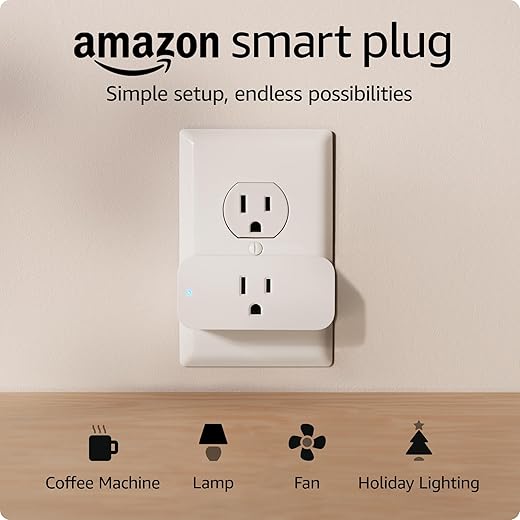
Slash Your Bills with Small Gadgets
If you’re tired of surprise energy bills, smart plugs can help. They cut phantom loads, automate schedules, and make high-use devices efficient.
For specific models with built-in meters, see our best smart plugs with energy monitoring guide, then use this how-to to set them up for real savings.
What You’ll Need
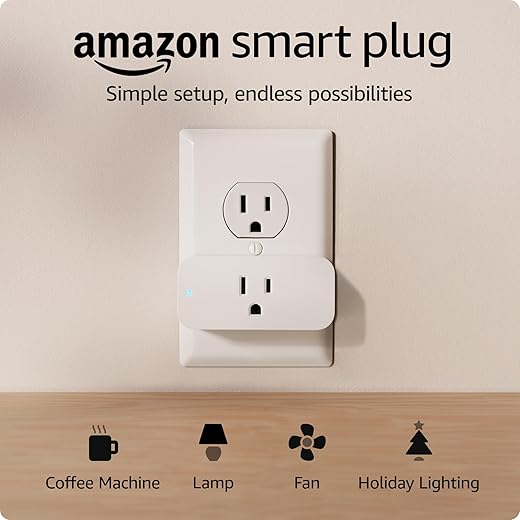
Choose the Right Smart Plug for Real Savings
Which smart plug will actually pay for itself — the cheapest one, or the smart one that measures energy?Pick smart plugs rated for the device’s amperage and wattage. For heavy loads — space heaters or window air conditioners — use dedicated high‑capacity plugs or avoid smart plugs entirely to prevent overloads.
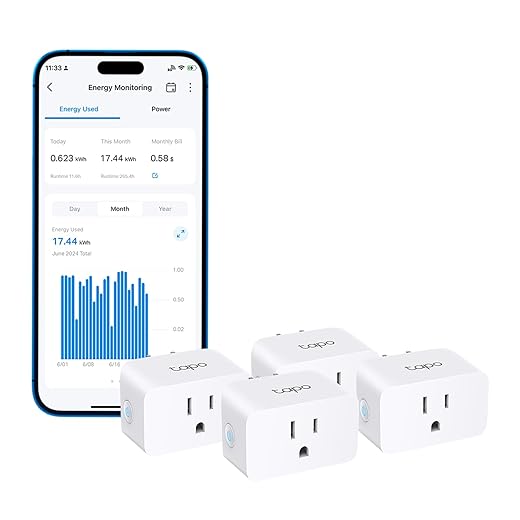
Prefer smart plugs with built-in energy metering if you want precise savings data. These report watts and kWh so you can compare a lamp’s standby use to a gaming console’s peak draw and decide what to schedule off.
Our best smart plugs with energy monitoring roundup highlights options that make this tracking much easier.
Check compatibility with your home ecosystem and controls. Make sure the plug works with your Wi‑Fi, Alexa, Google Assistant, or Apple HomeKit, and that the app is reliable.
Look for these features and certifications:
Read customer reviews for connection stability and support before buying to avoid future headaches.
Identify and Prioritize Energy Guzzlers
Want the biggest bang for your buck? Target the usual culprits — and be surprised by what drains power while ‘off’.Walk through your home and list devices that run often or draw standby power: TVs, set‑top boxes, gaming consoles, chargers, printers, routers, coffee makers, dehumidifiers, and space heaters.
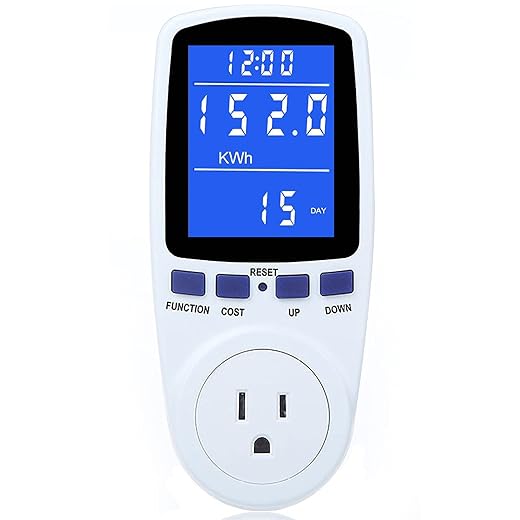
Use an energy‑monitoring smart plug or a handheld watt meter to measure baseline consumption for 24–72 hours. Record average watts and typical daily hours to calculate usage.
Multiply kWh by your electricity rate to estimate cost. Prioritize devices with high continuous draw, long run times, or things you forget to switch off. Compare example: a 30 W device on 24/7 consumes ~0.72 kWh/day; at $0.15/kWh that’s about $0.11/day or $40/year. Skip small, low‑draw items unless automation adds convenience. Mark top candidates for smart plug installation based on potential annual savings and how often you’ll need to interact with them.
Install and Configure Smart Plugs Safely
Don’t just plug in — set up for efficiency and safety. Avoid rookie mistakes that waste time or create hazards.Install plugs into accessible outlets and plug devices into them.
Update the smart plug firmware first.
Connect the plug to your home Wi‑Fi using the manufacturer’s app and name each plug clearly (e.g., “Living Room TV” or “Coffee Maker”).
Assign plugs to rooms or groups for easier control.
Create initial schedules: overnight cutoffs for entertainment gear (e.g., 11pm–7am), work‑hour control for office equipment (9am–5pm), and short preheat times for kettles or heaters only when needed (e.g., 5 minutes before use).
Document changed devices and keep automatic firmware updates enabled.
Avoid daisy‑chaining plugs and ensure ventilation around the smart plug.

Automate, Monitor, and Optimize for Ongoing Savings
Treat smart plugs like a tiny energy team: automation cuts waste, and data proves the savings.Use simple schedules to cut waste — auto-off TVs after midnight, stop chargers at 100%, and run coffee makers only before you wake. For a broader plan, our smart home setup guide for beginners helps you decide which rooms and devices to prioritize.
Integrate motion or occupancy sensors to switch off lights or entertainment when rooms are empty.
Review energy reports weekly to spot anomalies and fine‑tune run times and thresholds.
Seasonally adjust schedules for heating or cooling needs to avoid unnecessary runtime.
Combine smart plugs with smart strips for clusters of peripherals and use scenes to turn multiple devices off with one command.
Track cumulative kWh and cost reductions to validate savings and tweak priorities.
Quick automation ideas:
Maintain your system by applying firmware updates, checking app logins, and replacing problematic plugs. Over months you’ll find which automations deliver the most savings and where small behavior changes can multiply returns.

Start Small, Save Big
Install a few smart plugs, monitor results, and expand where savings are clear. Simple automation and periodic review cut standby draw and lower bills noticeably — are you ready to start saving?
If you want more ideas on where to plug in next, our best smart plugs with energy monitoring and best home energy monitors for smart homes guides offer plenty of tested options.
More Smart Home Energy Guides
- Best Smart Plugs With Energy Monitoring
- Best Home Energy Monitors for Smart Homes
- Best Smart Plugs With Energy Monitoring
- Smart Home Setup Guide for Beginners
Ready to try different models in your own home? Visit our Smart Plugs & Energy Monitors category for more recommendations and how-to guides.

I tried the guide’s “Start Small, Save Big” advice and it actually works. Here’s my step-by-step from last month:
1) Identified the microwave, old printer, and coffee maker as guzzlers.
2) Bought three smart plugs with energy reporting.
3) Scheduled the printer and coffee maker to shut off overnight and when not in use.
4) Monitored results and swapped the microwave out later.
Ended up saving ~8% on one bill. Not massive, but steady — and it required almost zero effort after setup.
Nice! Did you automate the coffee maker with a schedule or a geofence (based on phone location)?
Curious — what model of smart plug gives you reliable energy numbers? Some of mine show weird spikes when the device is off.
Rachel: I started with a simple schedule (weekday mornings) — geofencing felt like overkill for this. Scheduling + manual overrides in the app worked best for me.
Spikes can be due to firmware or how often the plug polls energy usage. If readings look off, try updating firmware or checking the polling interval in the app. If it persists, contact the manufacturer.
Fantastic breakdown, Oliver — exactly the kind of incremental approach we hoped readers would try. 8% is a great win for minimal effort.
Loved the guide — super practical!
I started with just two smart plugs on my TV and coffee maker and already noticed a slight dip in standby power usage.
Tip for newbies: label the plugs when you install them so you don’t forget what controls what. 👇
Also, the section on prioritizing guzzlers helped me realize my old gaming PC was the worst offender.
Question: anyone else use power tracking on the plug app to set weekly targets?
I labelled mine with little color dots — saved me a bunch of confusion. Also, if the TV has a ‘quick start’ mode, turn that off; it eats standby power. 🙂
Yep — I do weekly tracking. The app graphs make it obvious when I forget to turn something off. Pro tip: combine with a schedule so gaming rig shuts down after midnight.
Thanks Maya — glad it helped! Labeling is a great habit. If your smart plug supports energy monitoring, set a baseline week then create a small reduction target (5–10%) to start — easier to stick with.
Short and useful. I was a bit overwhelmed by the choices in “Choose the Right Smart Plug” — anyone brand-recommendations that are both reliable and have energy monitoring?
I use a mid-range model with energy monitoring and it’s been solid. Avoid super-cheap unknown brands — they may lack safety features.
We stayed neutral in the guide but look for plugs with certified safety ratings (UL/ETL), clear energy-monitoring features, and strong app reviews. Compatibility with your smart home ecosystem (Alexa/Google/HomeKit) matters too.
This guide made me laugh a bit — ‘Slash Your Bills with Small Gadgets’ sounds dramatic but it works 😂
A tiny rant: smart plug apps sometimes feel like they were coded in 2007. Why is UI so bad? Still, the automation section helped me set up a night routine where lights and chargers die at 11pm. Feels like domestic victory.
Thanks everyone — gonna try the aggregator idea. Also, anyone else feel smug unplugging chargers now? Small pleasures 🤷♀️
I used a smart home app that aggregates devices and it made scheduling much easier. Worth the extra setup if you have a few plugs.
Haha yes, those clunky apps are the norm. If you’re into more polished interfaces, try integrating with a third-party hub (if supported) — sometimes that gives a better control experience.
Totally agree on the app UX — it’s hit-or-miss. Good to hear the night routine is giving you wins though. Little automations add up over time.
Quick question: is it safe to use smart plugs with older appliances like a 10-year-old space heater? I read the “Install and Configure Safely” section but still nervous. There’s a warning about high-power devices — what exactly counts as ‘high-power’?
I had the same worry. My trick: check the heater’s wattage label (usually on the back). Most smart plugs list max watts at 120V. If it’s close to or over the plug limit, don’t risk it — use a smart thermostat or an appliance-specific controller instead.
Good question. Generally, devices that draw a lot of current — space heaters, window AC units, kettles, large ovens — are considered high-power. Check the plug’s max current rating (amps) and the appliance’s wattage. If the appliance demands more than the plug’s rated capacity, don’t use the plug.