

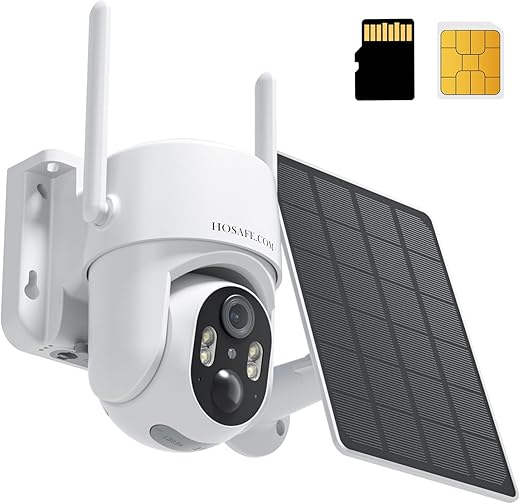
Off‑grid surveillance that delivers — but watch for data and cloud costs.
Securing job sites, remote cabins, or renovation projects is a real headache when there’s no power or local Wi‑Fi. We’ve dealt with cameras that need mains power, die out of battery, or rely on flaky hotspots — and those gaps leave us exposed at the worst times.
The 4G LTE Cellular Security Camera aims to solve that by running truly wire‑free: built‑in 4G LTE with a SIM slot, an included solar panel, 2K daytime and color night vision, PTZ coverage, local microSD storage, and two‑way audio. In our testing it worked well as a standalone option for off‑grid sites, though carrier data and optional cloud plans are important trade‑offs to consider.
4G Solar LTE Security Camera — 2K PTZ
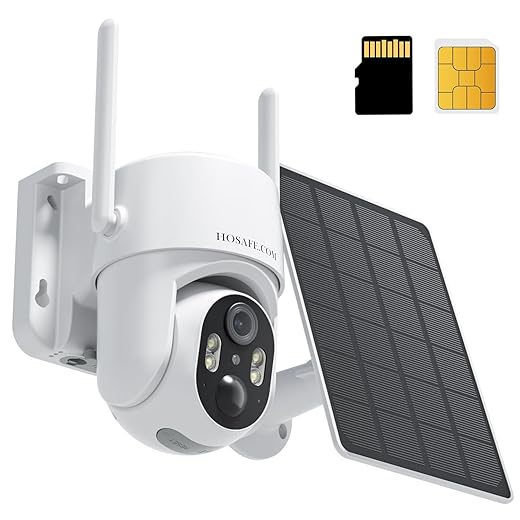
We find this camera to be an excellent standalone option where Wi‑Fi or power lines aren’t available. It balances reliable 4G connectivity, solar charging, and solid image performance into a portable, weather‑proof package.
Overview
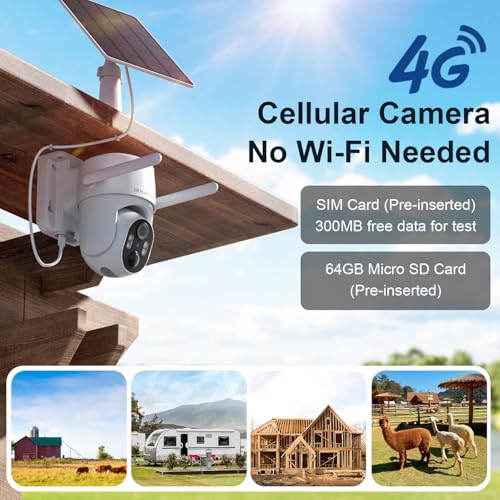
We tested the 4G LTE Cellular Security Camera as a no-WiFi solution for remote monitoring, and our experience shows it delivers where traditional wired cameras can’t: job sites, renovation projects, rural properties, and pop-up locations. The camera combines cellular connectivity with a solar panel and a rechargeable battery, so it’s intended to operate continuously without nearby mains power or a local router.
If you’re deciding where LTE cameras fit alongside regular Wi-Fi gear, our Smart Home Setup Guide for Beginners and Best Mesh Wi-Fi Systems for Smart Homes can help you map which areas truly need cellular coverage.
What it looks like and who it’s for
The device has a dome form factor with a sturdy ABS housing and an IP66 rating, making it usable in rain and dust. Its tilt and pan mechanics give wide coverage that’s useful for areas where a single, mobile unit must monitor a large scene. We recommend it for contractors, farm stands, remote storage, and homeowners who need temporary surveillance without running cables.
Installation and setup — what to expect
Installation is straightforward: mount the bracket, attach the camera and solar panel, and follow the app wizard to activate the unit. Because the camera uses cellular, placement planning changes—signal strength matters as much as viewing angle. In our tests we found the following steps were key to smooth setup:
Image quality, PTZ, and night performance
The camera records in 2K (3 MP effective stills) with a 4x digital zoom and auto focus. Daytime footage is sharp and colors are natural. Nighttime is notable: the built‑in spotlights provide color night vision rather than monochrome infrared, which helps with identification but can be more power‑hungry.
Power, solar charging and battery life
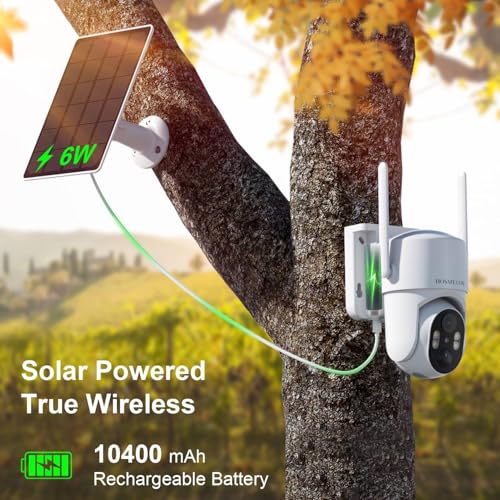
The included solar panel and 28.86 Wh battery provide a self‑contained energy system. Real‑world battery life depends on usage patterns: frequent PTZ movement, spotlight use, and many push notifications will drain power faster than minimal motion recording. We saw dependable continuous operation in sunny locations; shaded or winter months will require closer monitoring of battery levels.
Connectivity, SIM and data considerations
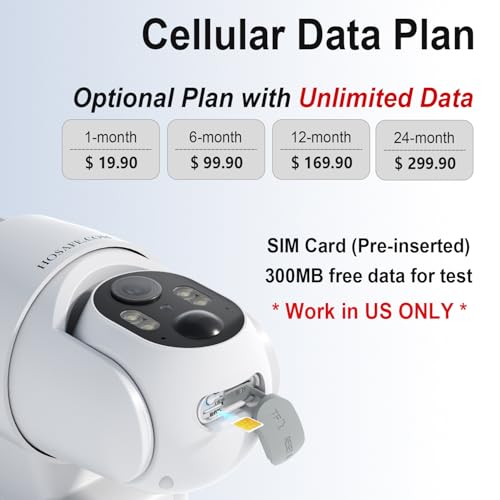
This camera connects via 4G LTE using the vendor’s SIM by default. That independence from local Wi‑Fi is the product’s major advantage, but it also means you must consider cellular data costs for live viewing and cloud uploads. In our evaluation:
Key specs at a glance
| Category | Key details |
|---|---|
| Resolution | 2K (3 MP) |
| Night vision | Color night with LED spotlights (up to ~50 ft) |
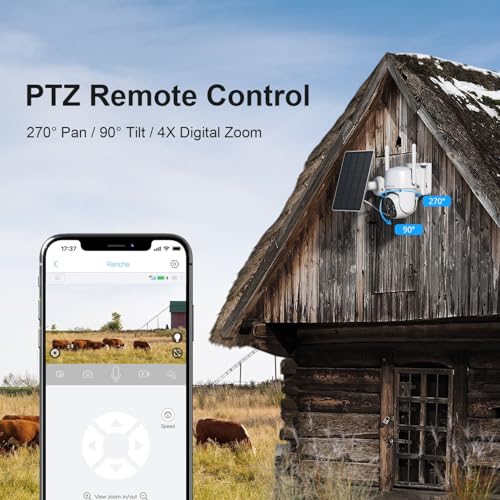
| PTZ | 270° pan / 90° tilt / 4x digital zoom |
| Power | Solar panel + rechargeable battery (included) |
| Connectivity | 4G LTE cellular (SIM) |
| Weatherproofing | IP66 |
| Local storage | microSD (64GB included, supports up to 128GB) |
Features and app experience
The companion app lets us view live video, move the camera, listen and speak through the 2‑way audio, and review recorded clips. Motion alerts are PIR‑based, which reduces false alarms compared to basic pixel‑change detection. Useful capabilities include remote playback, scheduled recording, and sensitivity adjustments.
Durability and real‑world use cases
We deployed the camera across a few outdoor settings: a renovation site, a farm stand, and a barn. It held up well in heat, rain, and overnight cold. The solar panel sustained charge on sunny and moderately cloudy days, but in heavily shaded placements you’ll want to monitor battery levels more often.
What we like and what to watch
Conclusion
Overall, we view this 4G solar security camera as a practical, well‑rounded choice for anyone who needs reliable outdoor monitoring without access to mains power or Wi‑Fi. It’s not completely free to run—data and optional cloud subscriptions add cost—but the combination of 2K imaging, PTZ coverage, two‑way audio, and a solar power system makes it a compelling off‑grid security solution for both temporary and semi‑permanent installations.
If you’re turning this into a broader smart-security setup:
- Add door and window coverage: Pair this LTE camera with contact sensors from our Best Smart Door and Window Sensor Kits for Home Security to catch doors and windows opening in real time.
- Track real energy costs: Add usage tracking with our Best Smart Plugs With Energy Monitoring and Best Home Energy Monitors for Smart Homes to see how much your security gear really costs to run.
More Smart Home Guides
Want to build out the rest of your setup around this LTE camera? Start here:
- Smart Home Setup Guide for Beginners
- Best Mesh Wi-Fi Systems for Smart Homes
- Best Smart Door and Window Sensor Kits for Home Security
- Best Smart Plugs With Energy Monitoring
- Best Home Energy Monitors for Smart Homes
FAQs
Many buyers expect to use any compatible 4G SIM, but models vary. Some units ship with a vendor‑configured SIM and may require a firmware update or extra fee to accept a third‑party SIM. We recommend checking the seller’s compatibility notes and asking support before assuming you can swap SIMs. If using your own SIM, confirm APN settings and data plan suitability for video.
Data usage depends on how often you stream live video and whether uploads are continuous or event‑based. Expect a few hundred MB per hour for low‑quality continuous streaming and multiple GBs per day for high‑resolution continuous streams. Using motion‑triggered recording, lower frame rates, and local SD storage can dramatically reduce data consumption.
Solar charging works very well in locations with good sun exposure. In shaded areas, during long overcast stretches, or in winter at high latitudes, solar output falls and battery life will shorten. We advise checking solar panel placement for unobstructed sunlight and planning occasional manual charging if needed during low‑sun months.
Some users report that the app’s live view requires switching between cameras rather than a tiled multi‑camera live display. If simultaneous multi‑camera monitoring is essential for your workflow, test the app or inquire with the vendor about multi‑view functionality before buying several units.
The camera uses a PIR sensor for human and vehicle detection, which is more accurate than basic pixel‑change detection. To minimize false alerts, adjust PIR sensitivity, set detection zones if supported, and mount the camera away from heat sources or moving foliage.
Laws vary by jurisdiction. In general, outdoor surveillance of your property is legal, but you must avoid recording private areas where people have a reasonable expectation of privacy (e.g., neighbors’ windows). We recommend reviewing local laws and posting signs if required for your location.

Great write-up — I’ve been hunting for a no-WiFi option for my weekend cabin. The solar + 4G combo sounds perfect on paper. Curious about real battery life in winter though. Has anyone tested the solar panel in heavy shade or snow?
I had mine on a cabin last winter — got about 2-3 weeks between charges with intermittent sun. Heavy snow definitely reduces it; clear the panel if you can.
Good question, Emma. The article mentions the 28.86 Wh battery and solar top-up, but real-world winter performance will depend on panel angle and hours of sunlight. Many users recommend tilting the panel and occasionally topping up with a USB charger in low-sun months.
Also check your SIM carrier’s signal strength at the site. No signal = no recording, even if the battery is full.
Bought this for a remote farm gate. Setup took about 20 minutes. My main gripe: the SIM card tray is fiddly and the app pushed a region lock on first boot. Had to contact support to get it unlocked. Otherwise the camera works fine and the motion zones are helpful.
LOL I almost bought this thinking it had built-in GPS tracking for the SIM so I could find the camera if stolen. That’s on me. 😅 Does anyone know if the SIM carrier can help locate it?
SIM carriers generally won’t provide location for consumer devices unless law enforcement is involved. Some cameras or third-party trackers support assisted GPS, but this model doesn’t advertise GPS. Best practice: bolt it securely, use tamper alerts, and store footage in multiple places.
Thanks — good to know. I’ll lock it down tight and maybe tuck a tiny tracker nearby.
You could pair it with a hidden GPS tracker if you’re worried about theft, but that’s extra cost.
Does this camera support local microSD recording only, or is there any cloud option included? I prefer keeping footage local for privacy.
I use local SD only. It’s simpler and you avoid recurring fees. Just back up important clips occasionally.
The camera supports microSD up to 128 GB (64 GB included). Cloud options vary by seller/firmware; the review focused on local storage. If cloud is enabled, check the privacy policy and carrier/data charges.
$49.49?? That sounds almost too cheap for a 2K, solar, cellular camera. Is there a catch with build quality or firmware support?
Installed one at a jobsite for a week and here are my quick notes:
– Setup was straightforward with the app and SIM.
– Video quality at 2K is surprisingly decent during the day.
– Night Color mode is neat, but in very low light it still falls back to IR.
– Motion alerts were sometimes delayed (maybe network latency).
Overall I’m impressed for the price. A couple of nitpicks: the bracket felt a little flimsy and the 110° vs 360° wording in places is confusing — the specs say 237° FOV but the title claims 360 coverage? 🤔
Motion alert delays? Could be the 4G network congestion. If you set the sensitivity highest it sometimes helps, but you’ll get more false positives.
Thanks for the hands-on notes, Sophia. You’re right — the marketing sometimes blends pan/tilt capabilities with wide FOV claims. This unit is a dome with wide-angle coverage and digital 360-style view via app stitching/rotating, not a mechanical 360 pan head. We’ll update the article to clarify.
Also worth noting: the material is ABS and IP66 rated, so it’s waterproof but still avoid locations with constant heavy spray or submerged mounting.
Haha marketing bingo. Thanks for the real-world feedback, I was worried the ‘360’ claim meant a motorized head. This clears it up.
Exactly — digital panning gives a 360-like experience but it’s not physically rotating. Good point about the bracket, I ended up reinforcing the mount with longer screws.
If anyone wants, I can add a short troubleshooting section for motion latency and sensitivity tuning to the article.
Quick technical nit: the spec sheet lists USB 5V DC and 5 Wh power — for anyone calculating run time, remember the battery is 28.86 Wh. The solar panel rating is limited, so don’t expect unlimited runtime if you have many motion-triggered clips uploading over 4G.
Got mine to last a month with light activity and occasional solar top-ups, but heavy motion + constant uploads will drain it faster.
Good clarification, Michael. The article touched on power but your numbers help readers estimate real-world expectations. We’ll add a short example scenario for typical usage vs heavy activity.
Does anyone know if the camera supports multiple users in the app? My partner and I both need access and I don’t want to share credentials.
Many of these camera apps allow sharing access via account invite or QR code. Check the app settings; the review notes that it’s compatible with iOS/Android phones and typically supports multi-user sharing.
Awesome, thanks — that’s a dealmaker for me.
Yep, mine lets me share view-only access with my wife. You can set permissions differently depending on the firmware.
One of the things I liked: IP66 rating and ABS body — seems solid for outdoor use. But ABS can get brittle in extreme cold, FYI. If you’re in a northern climate, consider a small cover or sunshield to reduce direct cold exposure.
Also pro tip: aim the solar panel away from large trees and mount it at a steeper angle in winter.
Great practical tips, Noah. We’ll add a mounting/maintenance tips section to the article to cover extremes of climate and panel angling.
No problem. Small tweaks go a long way with solar-powered gear.
Thanks for the tip about angle — I had mine flat and realized it was underperforming in autumn.
Small rant incoming: why do product listings always mix up marketing terms? ‘360 live view’ then ‘237° FOV’ — pick one. 😅
Still, if the app lets you pan and zoom smoothly, that counts as practical 360 in my book. Anyone tried the digital zoom without losing too much clarity?
If you place it where you get a strong 4G signal and good lighting, the zoom performs noticeably better.
You’re right about the confusion. The digital 4x zoom will lose detail compared to optical, but at 2K resolution it’s usable for closer subjects. We’ll add a note on marketing clarity.
Digital zoom is fine for ID-ing a face at mid-range in good light, but don’t expect miracles at night even with Night Color.
Thanks — that helps. Might still get one for the driveway since my WiFi can’t reach the pole.
Honestly the price makes me skeptical about longevity. Anyone had one running for 6+ months? Curious about firmware updates and customer support experience.
Tip: register the device and take screenshots of firmware version when you receive it. Makes it easier to track updates later.
I got one in March and it’s still going. Had one firmware patch in July. Not perfect, but for under $50 it’s been solid so far.
Same here — no dramatic failures yet. If you’re risk-averse, consider buying from a seller with easy returns.
We don’t have long-term data beyond a few months for the review, but the manufacturer has released firmware updates for similar models. Customer support experiences online are mixed; some users report timely updates, others slower responses. Keep receipts and check return policies.
I’ll try to follow up in a later article with a 6-month update roundup from readers — if anyone wants to share long-term notes, tag me here.
Love the idea of 2-way audio for scaring off critters or intruders. How’s the mic/speaker quality? Can you have a real conversation through it?
Two-way audio works but is typically basic — great for alerts or shouting at animals, less ideal for long, clear conversations. Network latency on 4G can introduce delays.